Top Nano Banana Pro Use Cases + Gemini 3 AI Prompts
What Makes Nano Banana Pro So Popular?
Nano Banana AI, based on Gemini 3 Pro, has sparked a creative revolution with over 200 million edits globally. It delivers unmatched speed, accuracy, and stylistic control, letting creators convert simple photos into 3D figurines, retro artworks, cinematic posters, and much more.
Unlike other platforms such as Flux Kontext AI, Nano Banana Pro excels in semantic understanding, multi-image blending, and real-time Google search integration, making it an ideal choice for enterprise-grade design and viral content creation.
Nano Banana Pro vs Nano Banana: Key Differences
Nano Banana Pro (Gemini 3 Pro image) significantly outperforms Nano Banana (Gemini 2.5 Flash image) with deep semantic understanding, 2K/4K resolution, enhanced multilingual text rendering, advanced creative controls, up to 14-image blending, and Google Search integration—making it ideal for professional creators needing precision and versatility.
20+ Nano Banana Pro Use Cases & Ready AI Prompts
1. Character Plush Toys
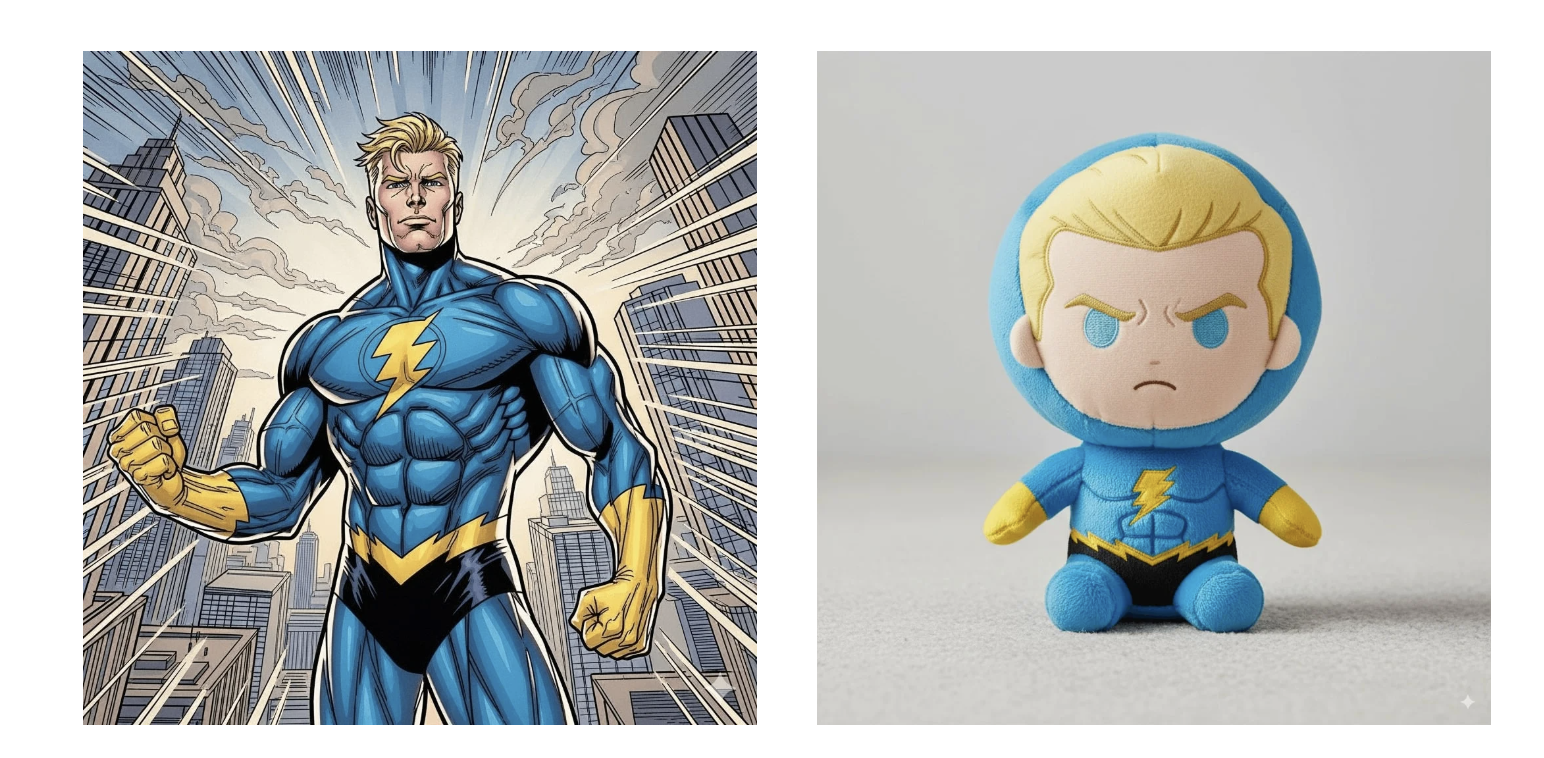
Turn characters into collectible plush toys with this prompt:
A soft, high-quality plush toy of [CHARACTER], oversized head, small stubby limbs, fuzzy fabric with visible stitching, embroidered facial features, sitting on a neutral background with soft lighting.
2. Chibi Emoji Stickers
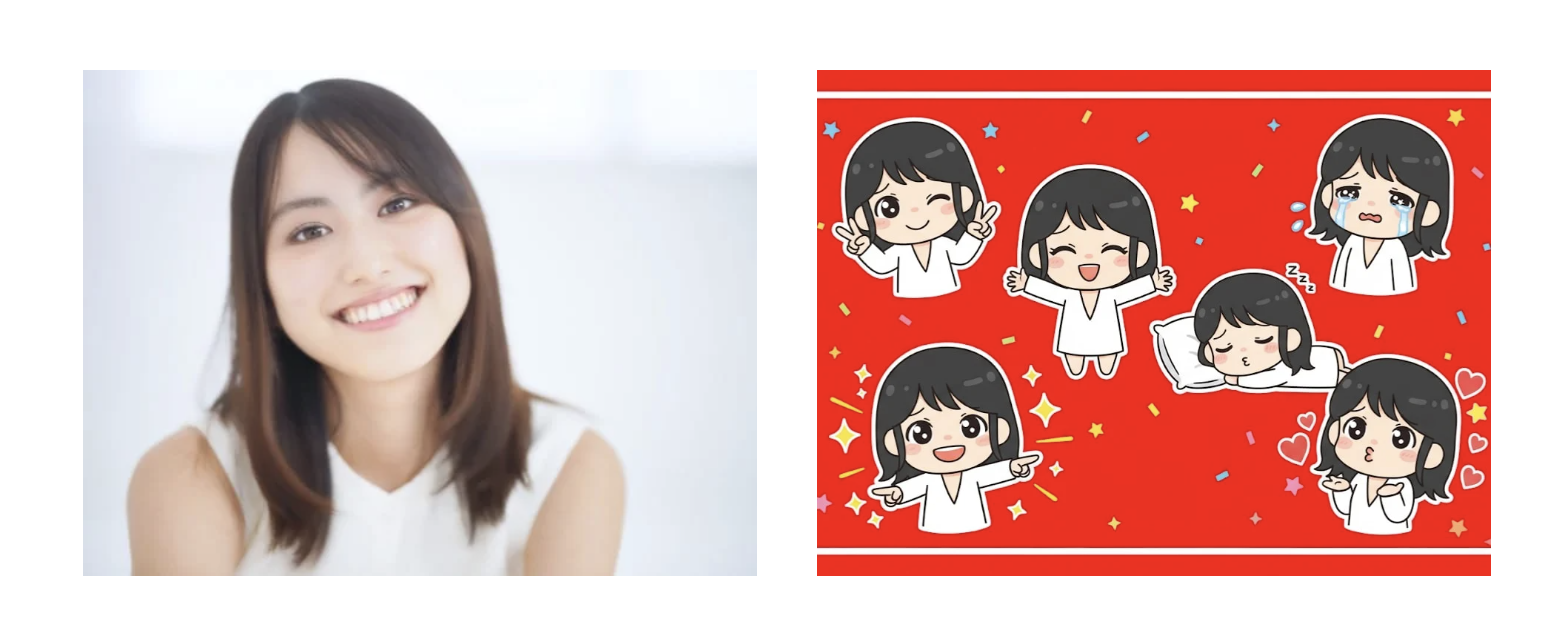
Create cute chibi emoji-style stickers:
Playful peace sign with winking, tearful eyes, wide arms for hug pose, blowing kisses with heart symbols, big expressive eyes, vibrant red background with confetti.
3. Funko Pop Figure
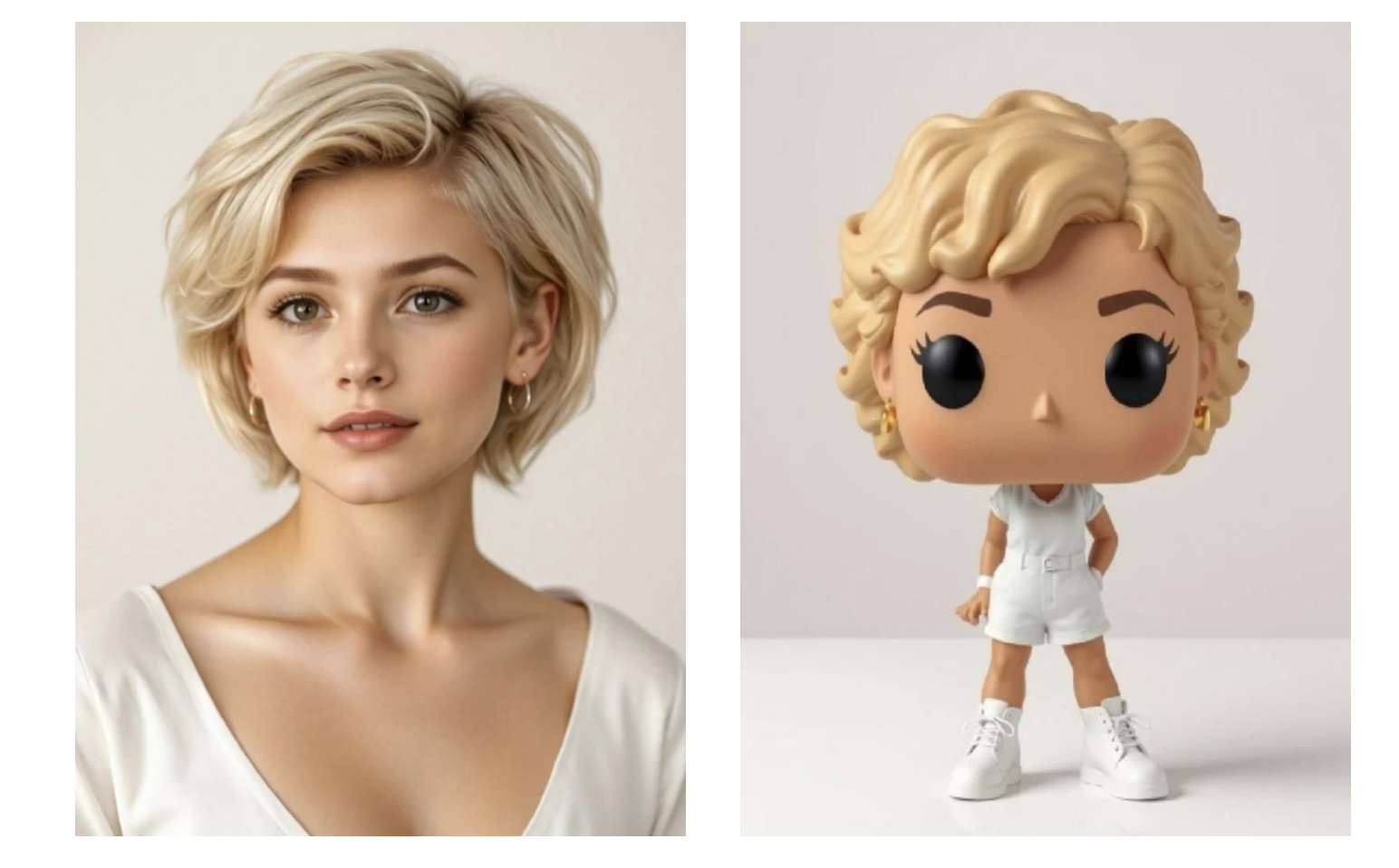
Generate detailed Funko Pop figures from photos:
3D render of a chibi Funko Pop figure with hair, attire matched to [NAME], high detail, pure white background, studio lighting.
4. Multiple Image Fusion
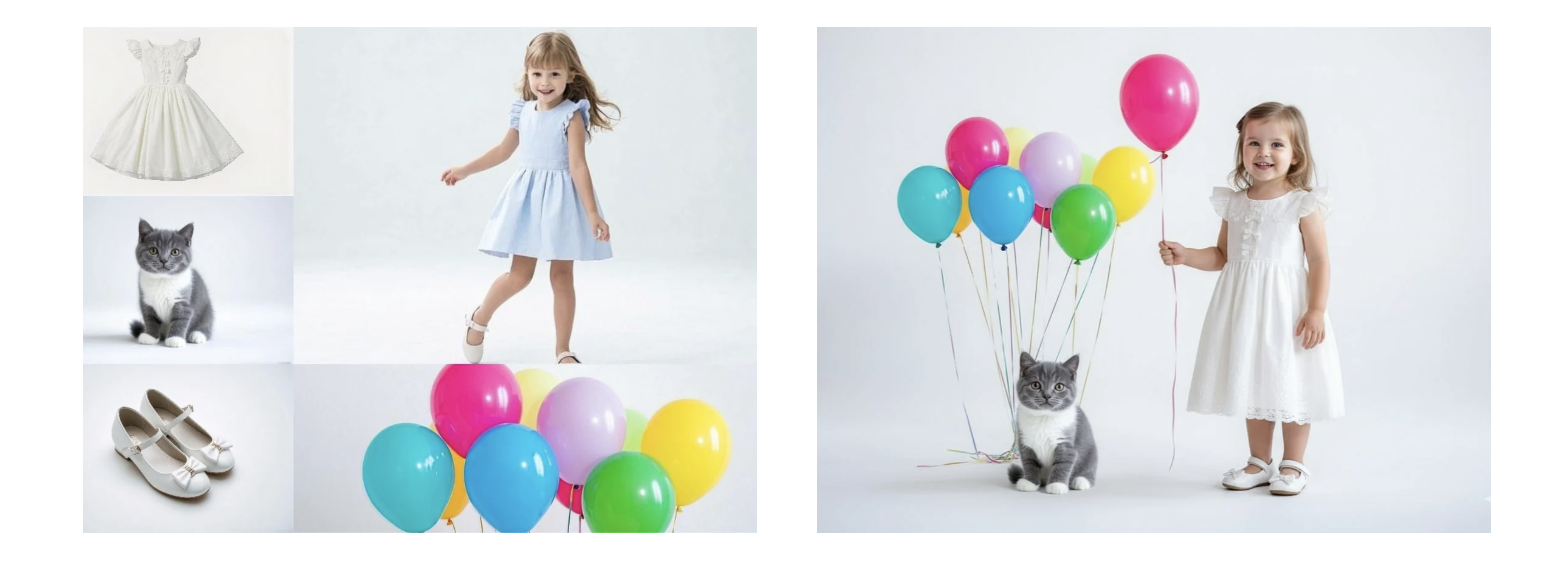
Blend several photos into one seamless image:
Combine [Image1], [Image2], [Image3] into a cohesive image with natural lighting and proportions, photorealistic quality.
5. Style Fusion
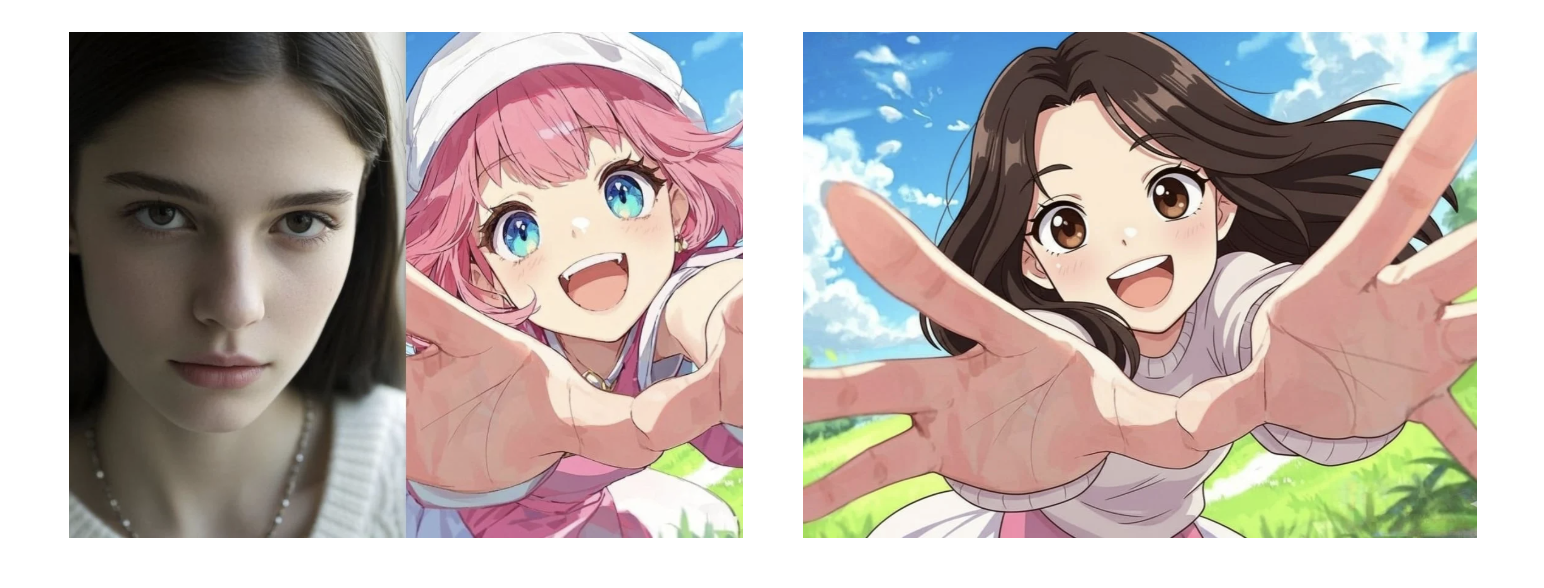
Apply the art style of one image to another:
Transform [Image1] into style of [Image2], preserving composition but using colors and textures of [Image2], high-quality illustration.
6. Virtual Outfit Changes
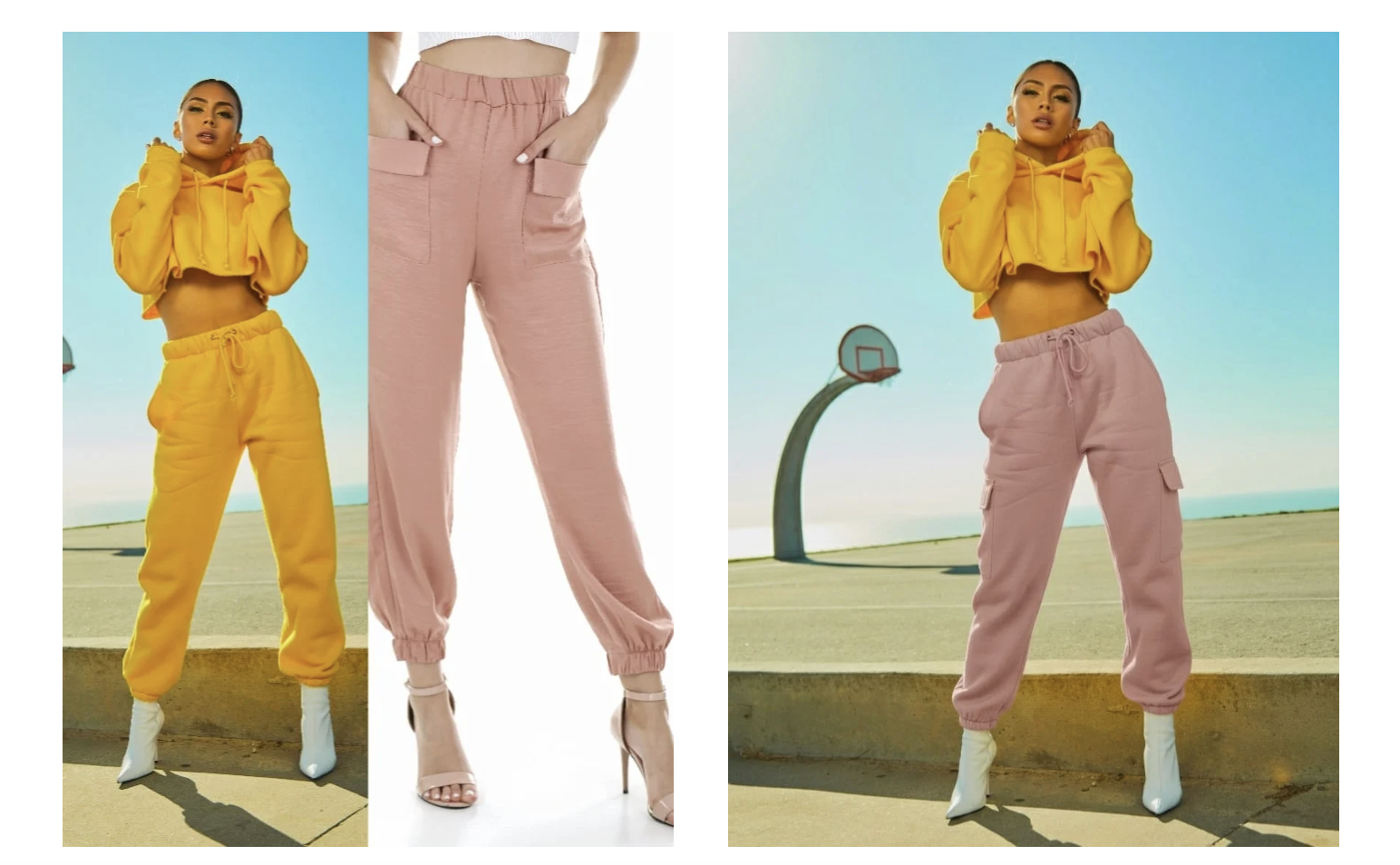
Swap clothing realistically:
Replace pants on character from [Image1] with outfit from [Image2], maintain pose and texture consistency.
7. 3x3 Grid Portraits
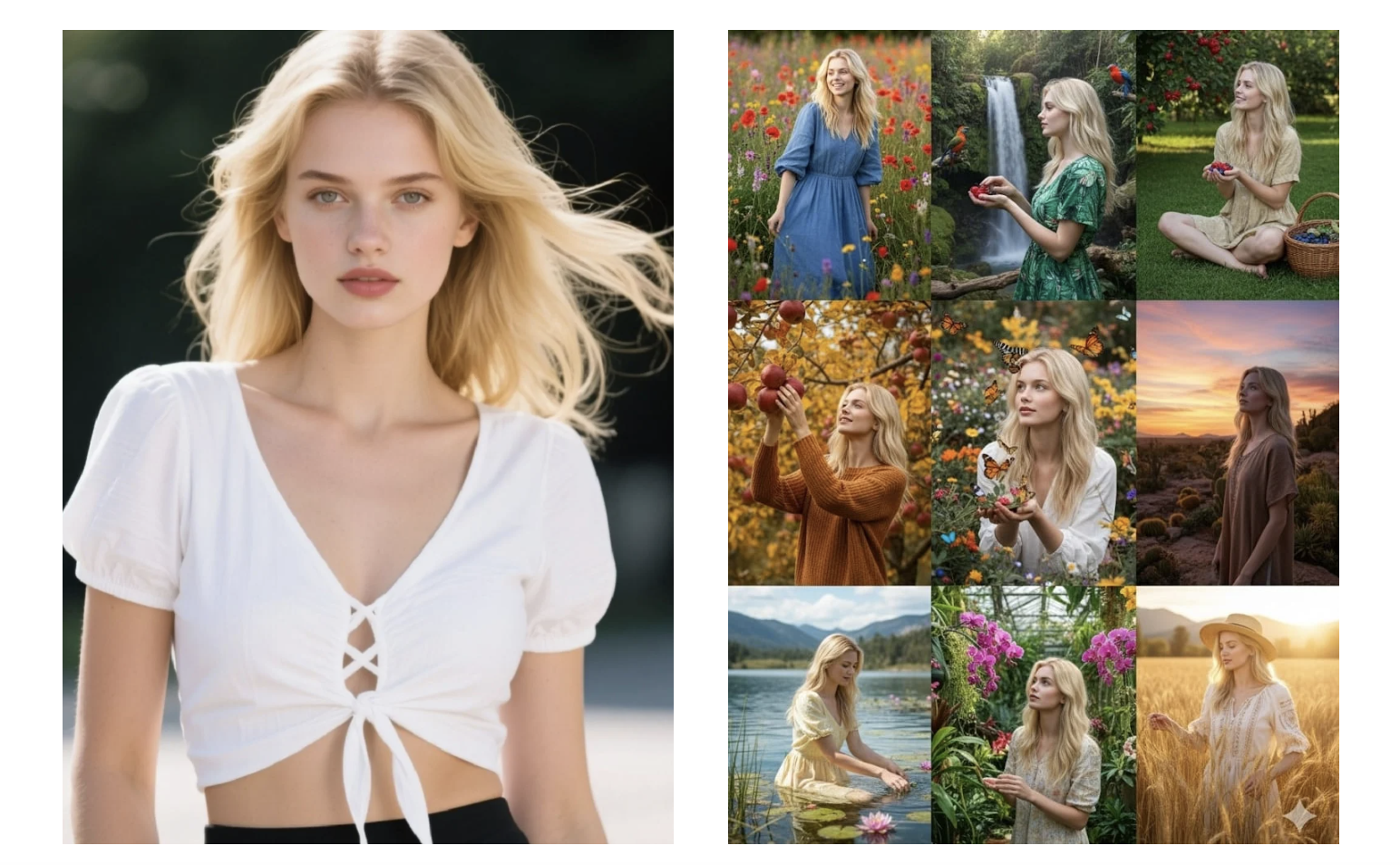
Create grids showing varied poses:
Generate 9 vibrant portraits from [Image1], each with unique pose and background.
8. Background Replacement
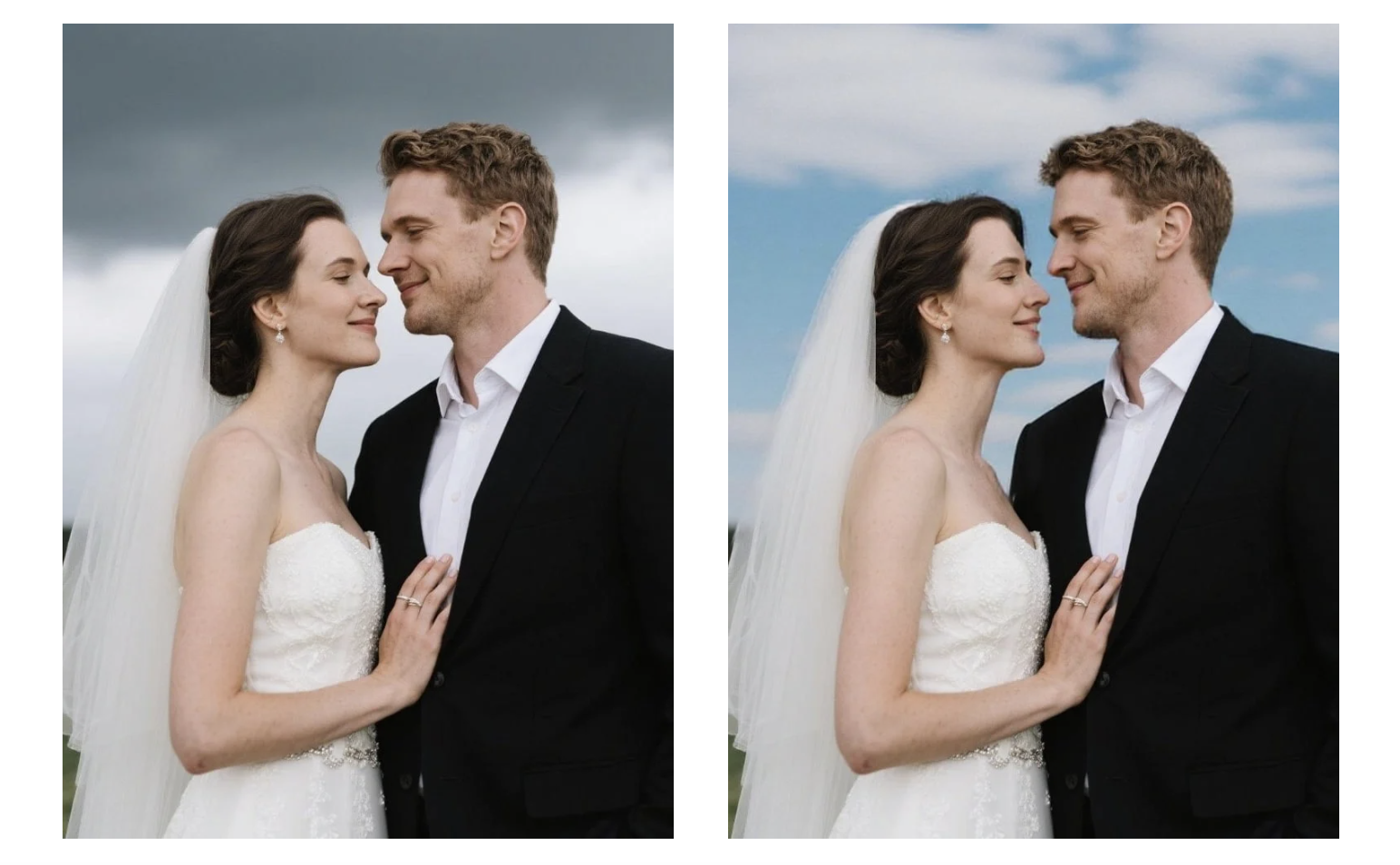
Change backgrounds seamlessly:
Replace background of [Image1] with [desired scene], keeping subject well integrated.
9. Object Removal
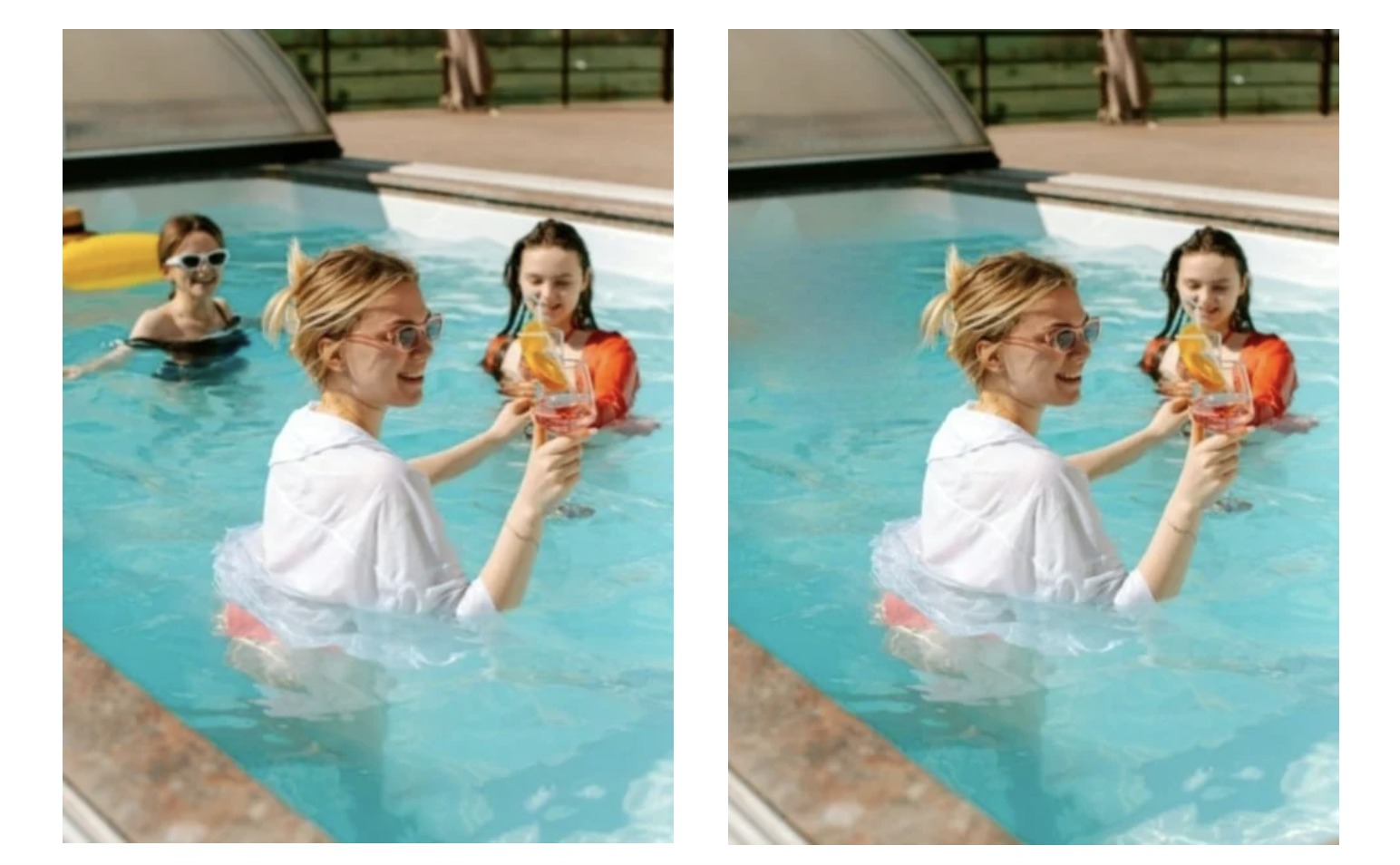
Remove unwanted items cleanly:
Remove [object] from [Image1], natural fill maintaining lighting.
10. Camera Angle Changes
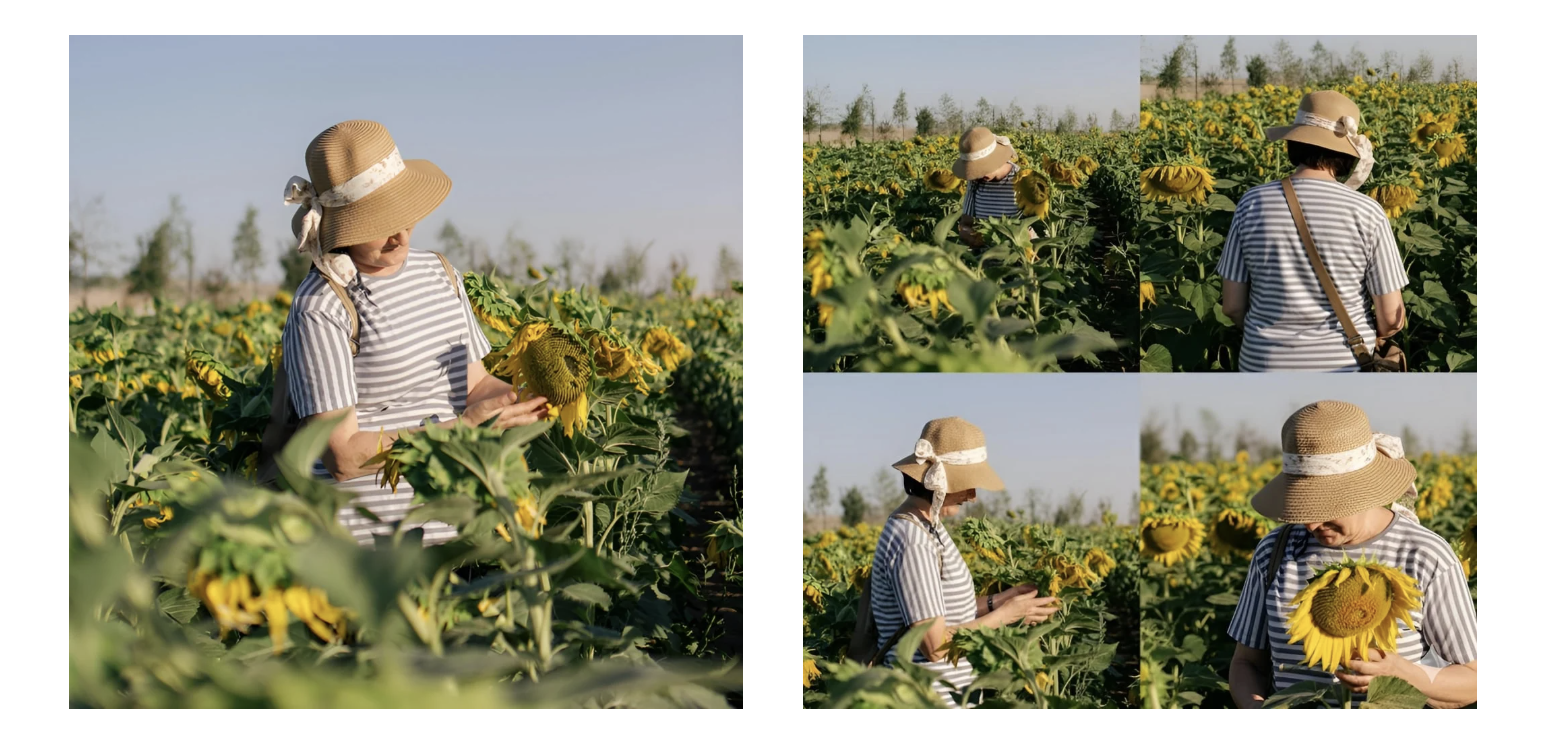
Show four perspectives of subject:
Create bird’s eye, rear, side profile, and close-up views of person in [Image1].
11. 3x3 Photo Grid Pose
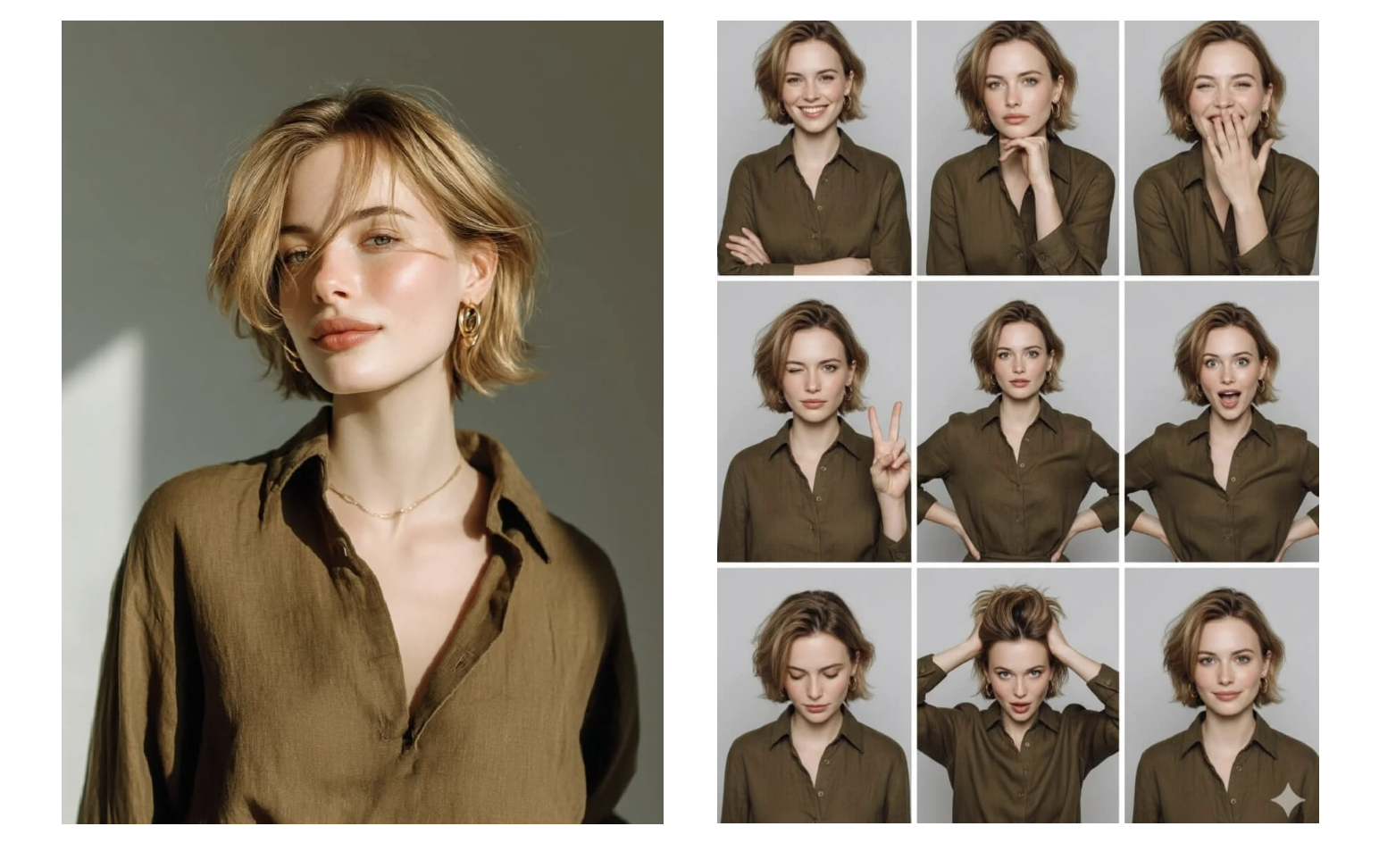
Arrange multiple poses in a grid:
Make 3x3 grid of photo strips with varied studio poses and expressions.
12. Anatomy Illustration
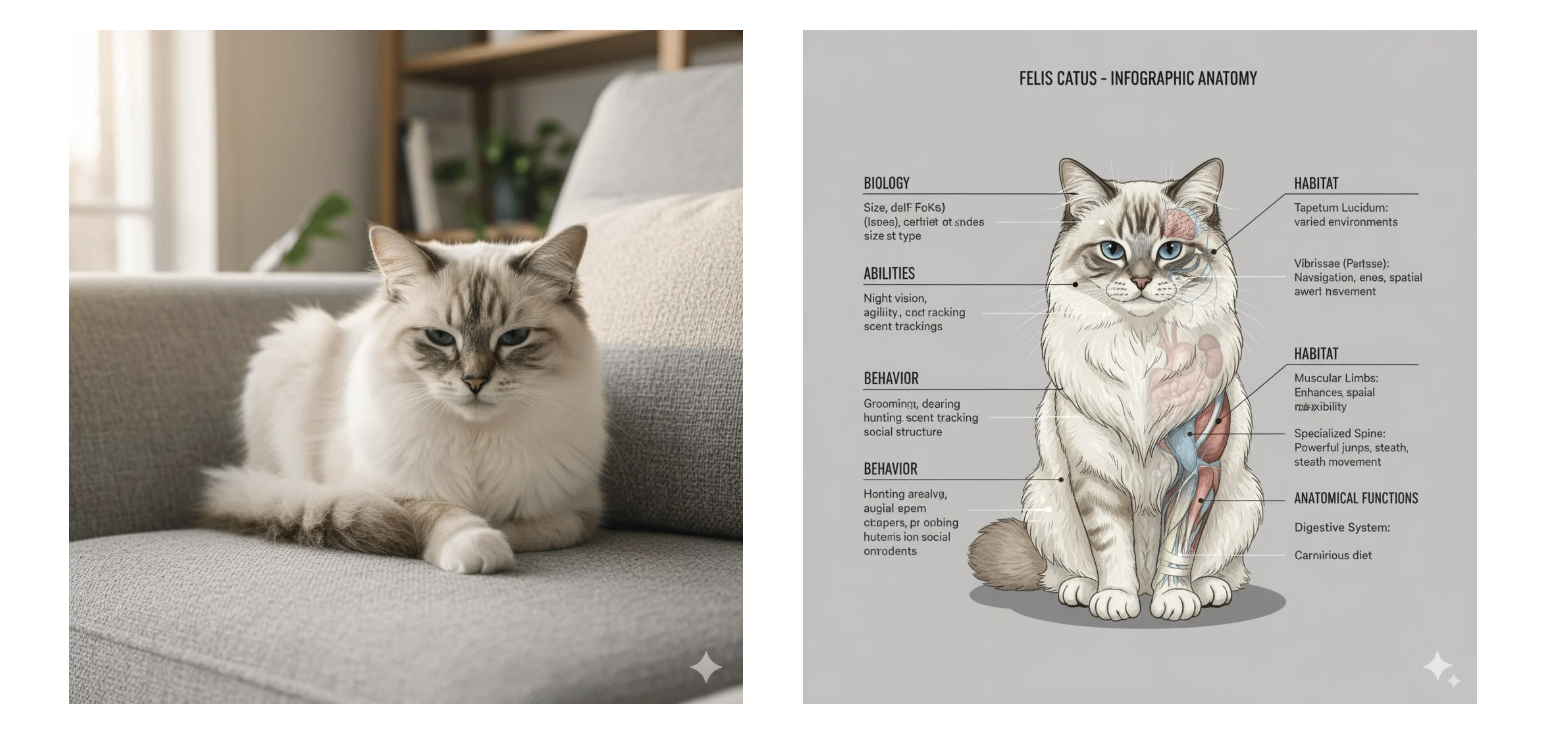
Create detailed anatomical visuals:
Scientific frontal anatomical illustration of [Character], with external and internal features annotated.
13. 16-Bit Video Game Pixel Art
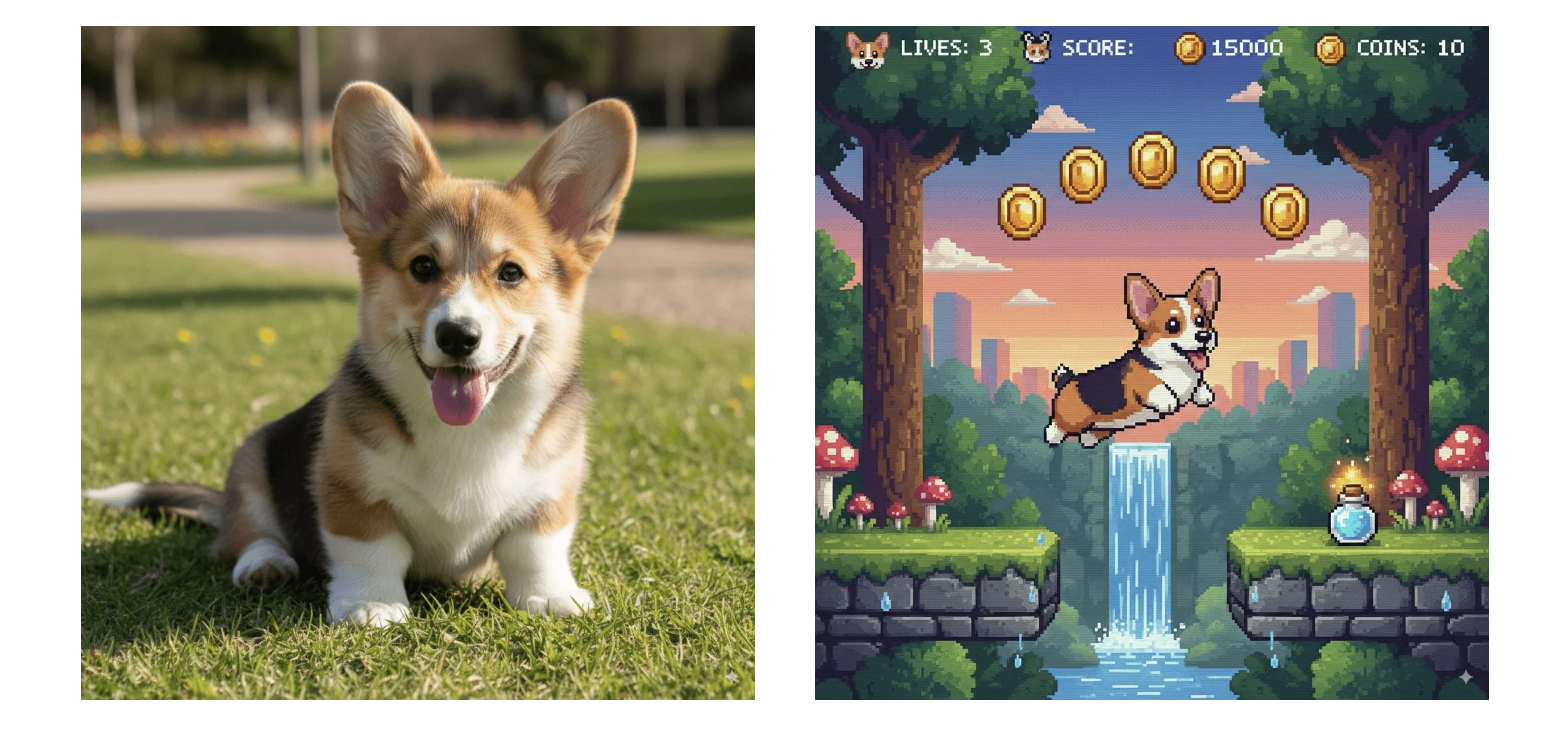
Make retro pixelated characters:
Convert [Character] into a 16-bit style video game sprite.
14. Storyboards
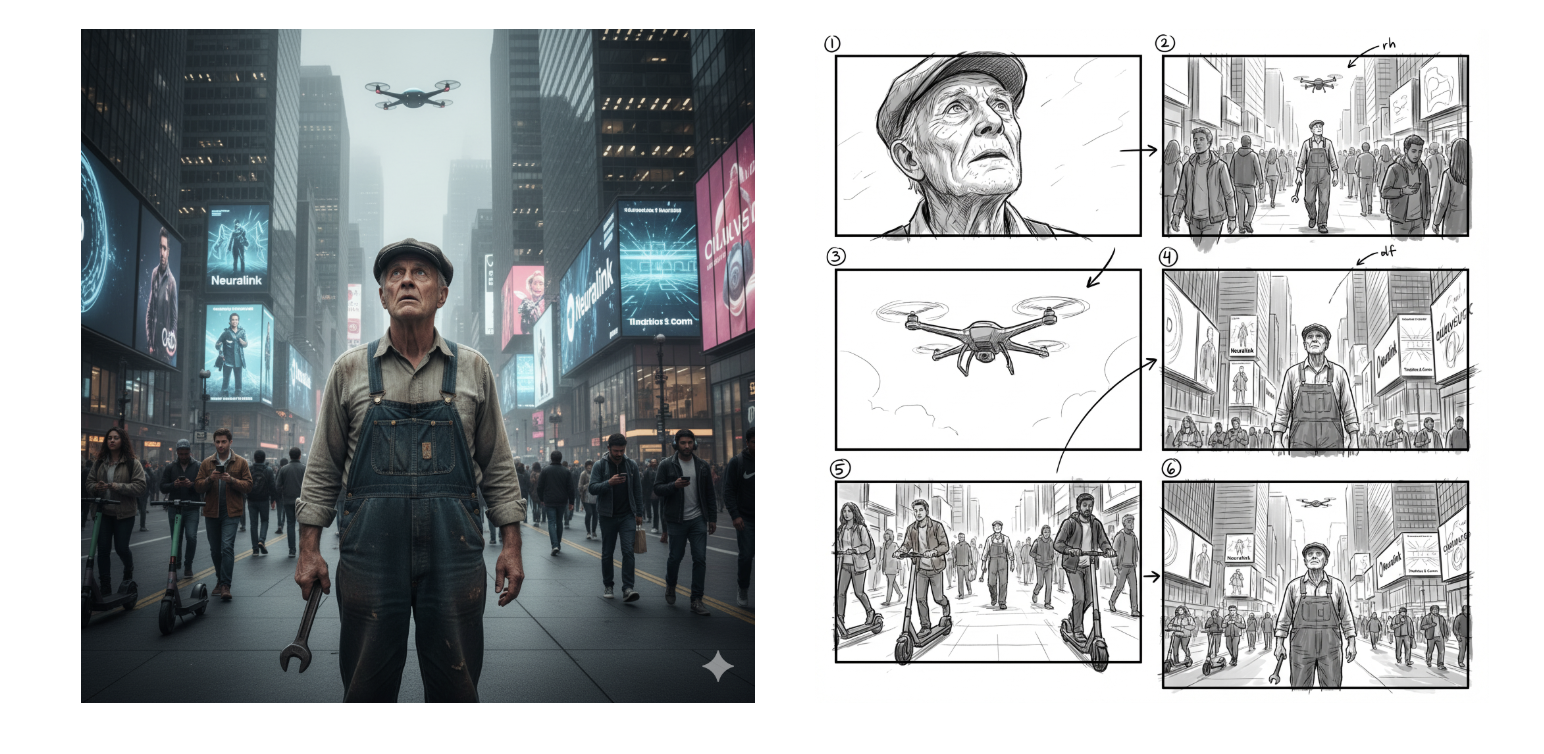
Generate cinematic storyboards:
Create storyboard from [Image1] showing key moments, moods and camera angles.
15. Logo Design & Modification
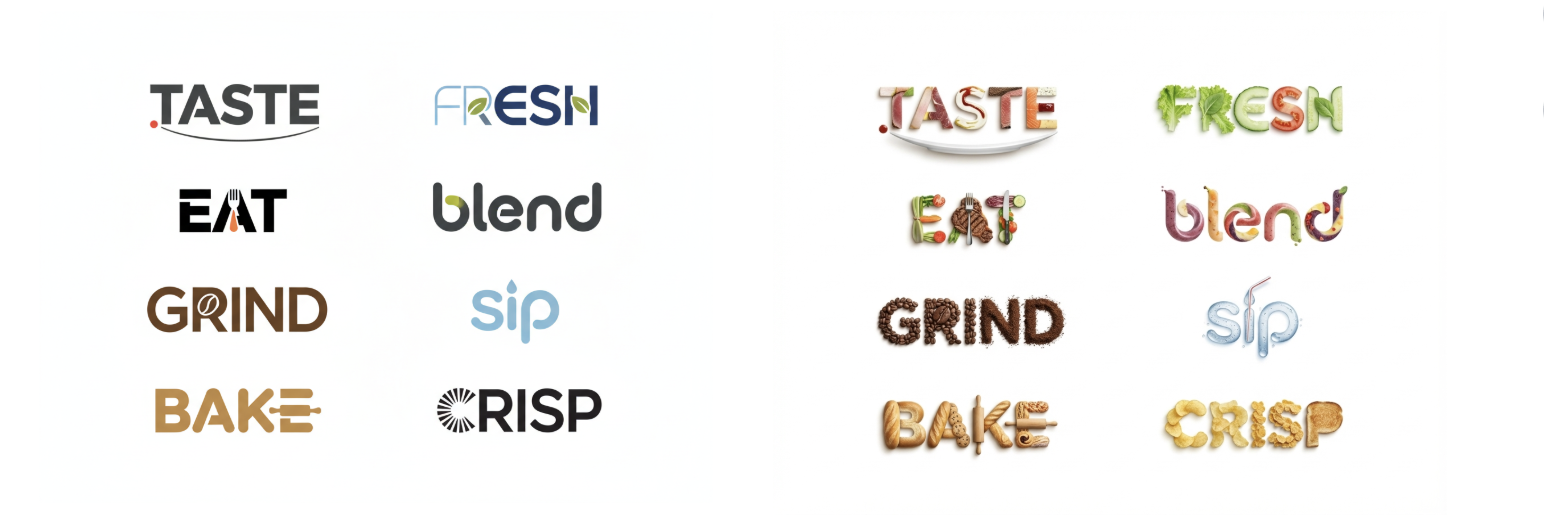
Create or adjust logos with AI:
Turn logos into minimalistic food-inspired vector designs on white background.
16. Semantic Infographics
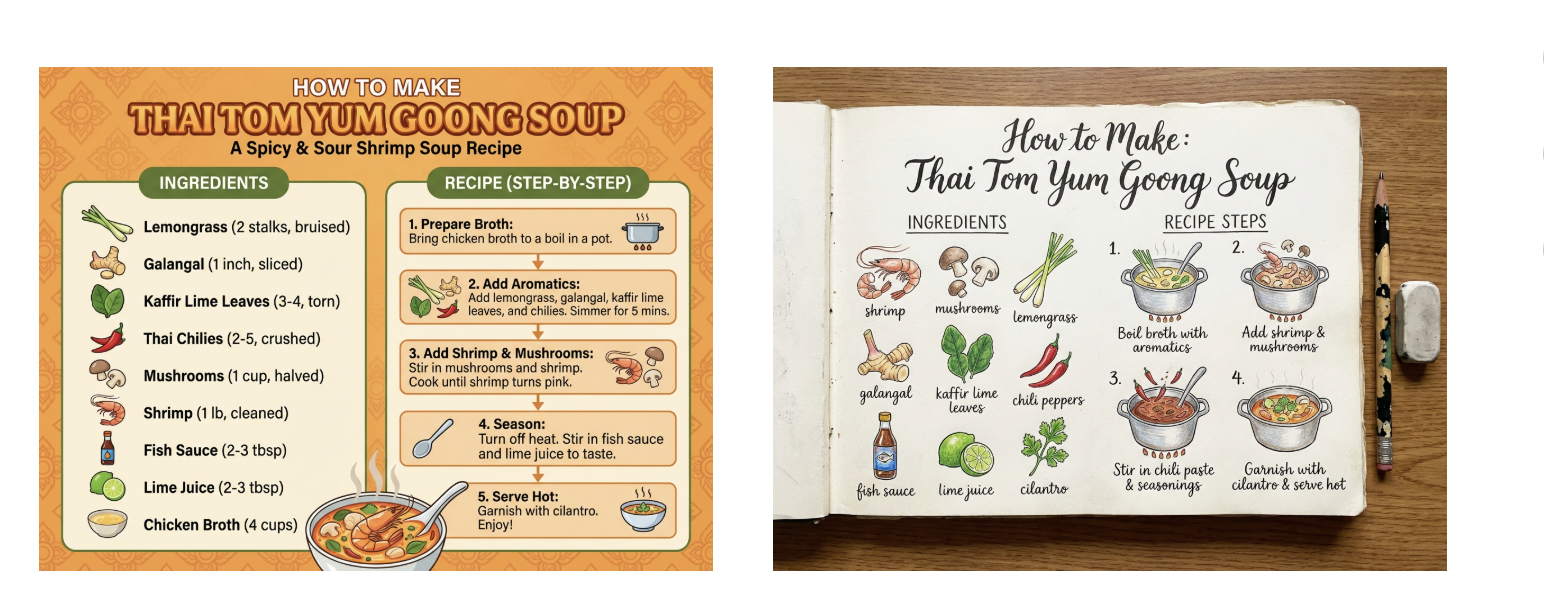
Build educational infographics:
Infographic for making Thai Tom Yum Goong Soup with ingredients and recipe steps.
17. 2D Floorplan to 3D Render
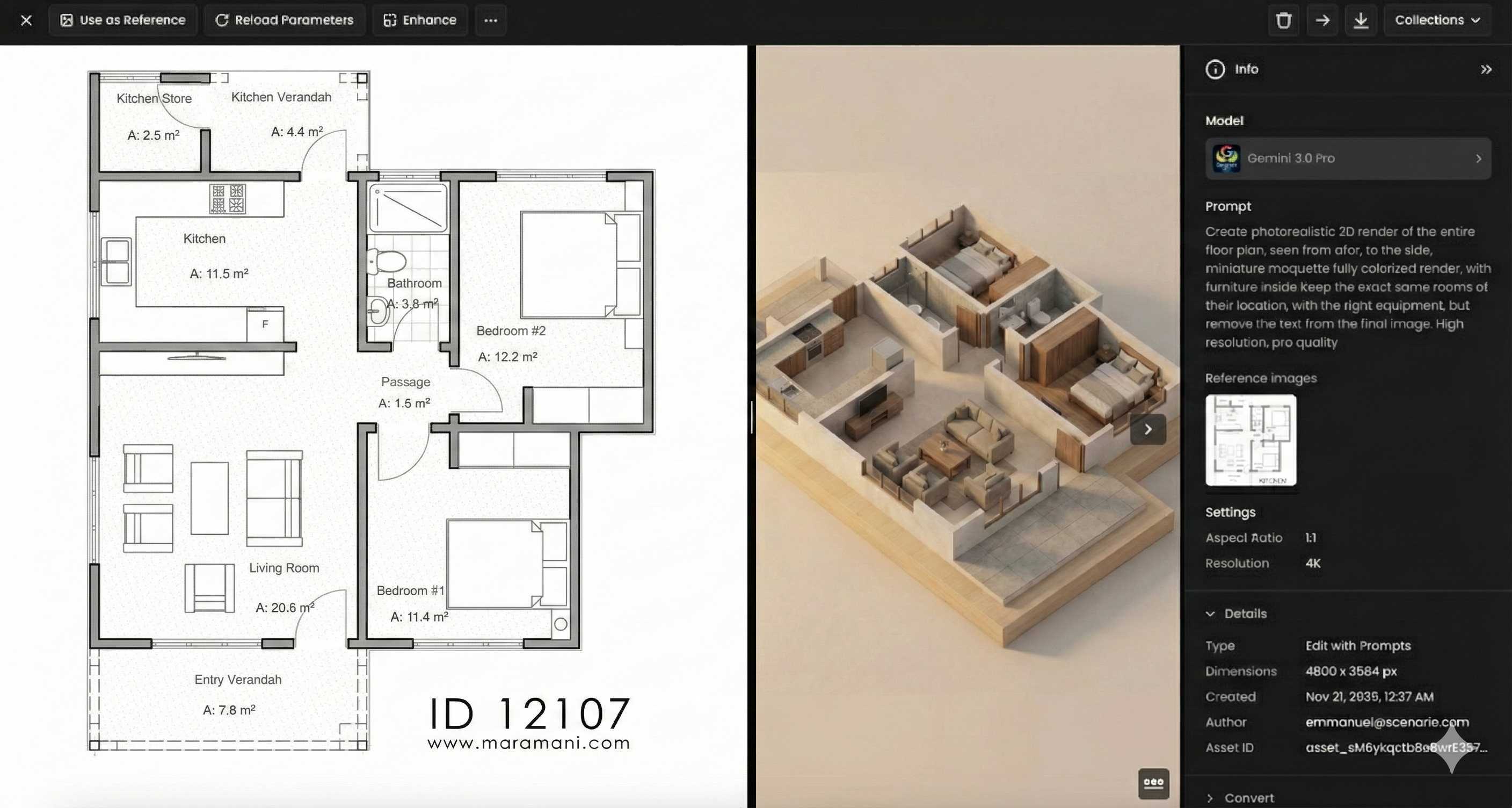
Create photorealistic 3D blueprints:
3D render of floor plan with furniture, high resolution, colorized, no text, accurate layout.
18. Handwritten Math Solutions
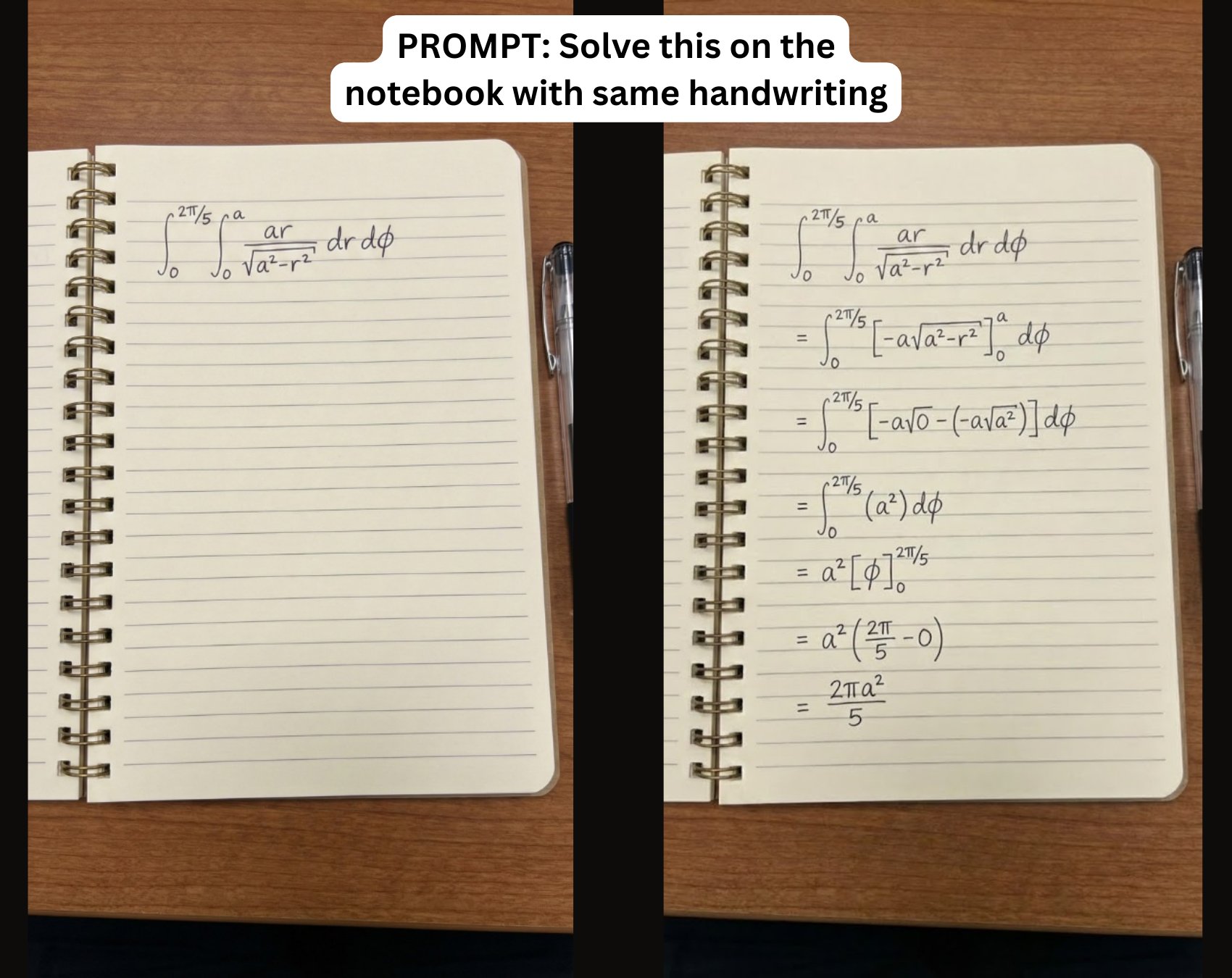
Render handwritten math problems:
Solve math problem on notebook page using handwriting style from [Image1].
19. Personalized Workout Posters
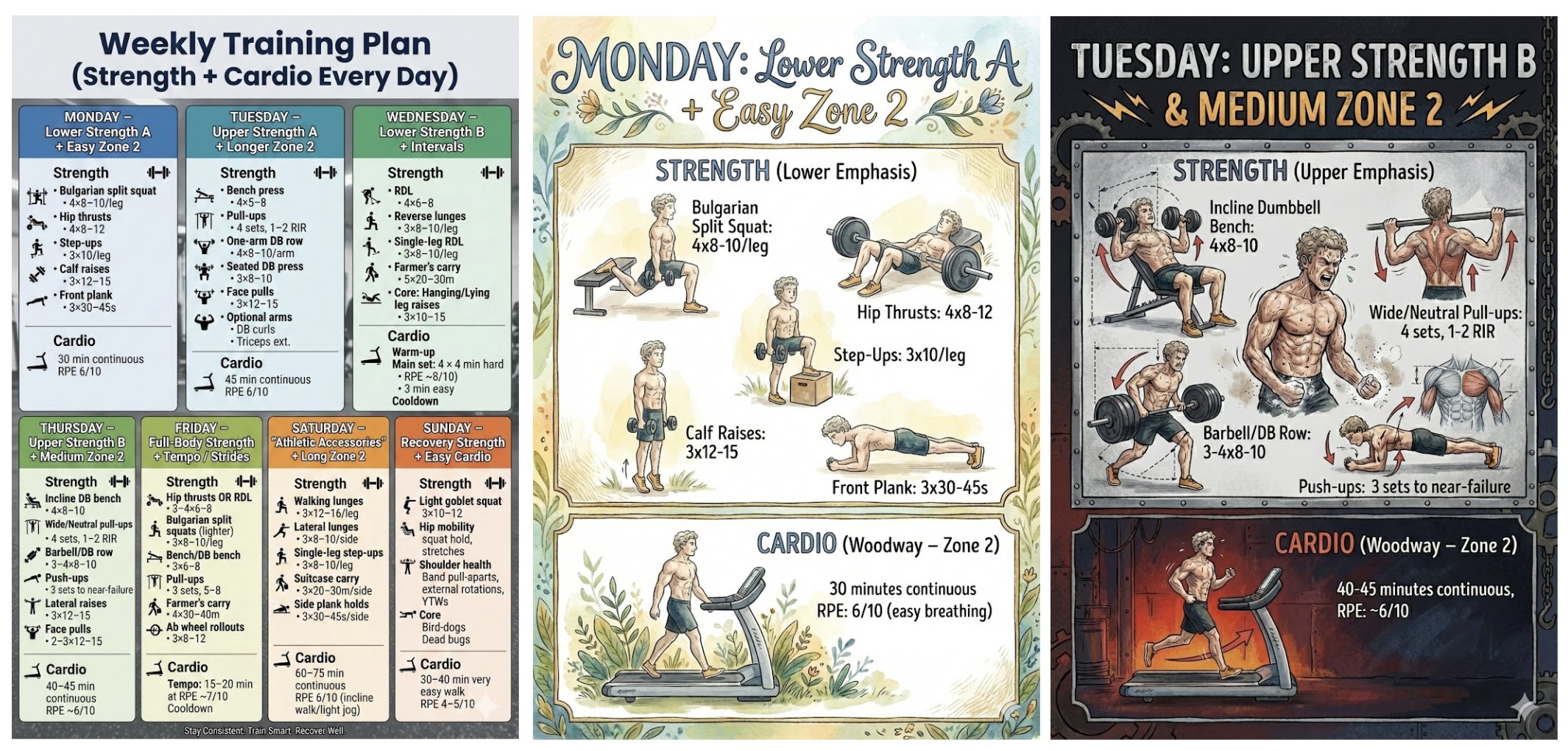
Design workout plan infographics:
Create weekly personalized workout plan infographic with increased intensity on Tuesday.
20. Neural Network Diagrams
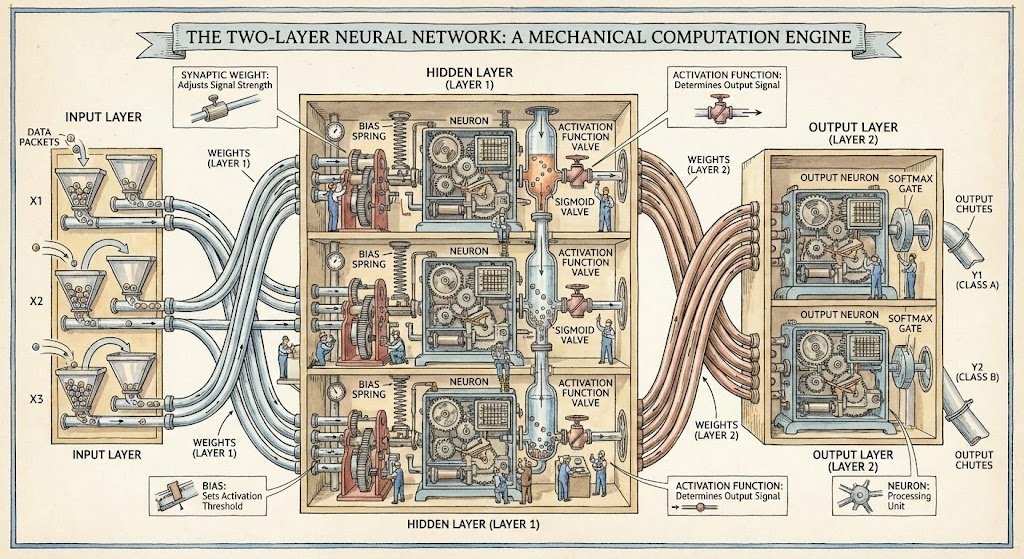
Visualize neural architectures:
Diagram of two-layer neural network styled like Stephen Biesty illustrations.
Practical Nano Banana Pro & Nano Banana Prompt Tips for Best Results
To help you get the most out of Nano Banana Pro and Nano Banana prompts, here are essential tips to craft high-quality AI photo prompts that deliver consistent, stunning results every time.
1️⃣ Craft Detailed Prompts with Action Verbs
Start your prompts with clear action verbs such as Create, Generate, or Draw. Be specific about the subject, action, setting, and style.
Example prompt:
“Create an image of a smiling young woman wearing a flowing red dress, gently cradling a golden retriever puppy in her arms, standing on a grassy park path with sunlight filtering through the trees. Photorealistic style, with natural shadows and vivid colors.”
If you’re unsure how to begin, feel free to copy and paste the Gemini AI photo prompts shared earlier in this guide.
2️⃣ Use Iterative Refinement
Treat your prompt generation as a conversation. Start broad and then iteratively add more details in follow-up prompts to refine the image until it perfectly matches your creative vision.
3️⃣ Specify Artistic Styles to Align Aesthetics
Direct the AI by including style references like watercolor painting, cyberpunk, or anime. Clear artistic style cues help Nano Banana generate images that fit your exact desired aesthetic.
4️⃣ Leverage Contextual Details
Add context about the time of day, emotional tone, or environmental conditions to improve image relevance and coherence. For example, “early morning light with soft dawn shadows” or “moody emotional expression with rain.”
5️⃣ Experiment with Variations
Modify color schemes, camera angles, lighting, or backgrounds to explore creative options. Variations help you discover unique results and expand your creative possibilities.
6️⃣ Maintain Consistent Lighting & Perspective
When editing photos or mixing images, ensure lighting directions, shadows, and perspectives are aligned across elements to produce natural, realistic results.
Why Use Nano Banana Pro for Your AI Creations?
Fast & Reliable: Instant photorealistic images powered by Gemini 3 Pro.
Versatile: From plush toys to technical diagrams, cover a wide creative spectrum.
No Premium Needed: Access all these prompts freely and start producing viral content today.
Deep Semantic Control: Ensure your AI understands complex prompts for perfect results.
Get Started Now!
Try these prompts today with Nano Banana Pro. Whether for branding, social media, gaming, or design, Nano Banana Pro unlocks your creative potential.
Official Model and Tool Resources
Master Generative AI in Just 4 Weeks
Want to go from AI news consumer to AI builder? Join the GenAI Launchpad by Build Fast with AI.
Gain hands-on, project-based learning with 100+ tutorials, 30+ ready-to-use templates by Satvik Paramkusham (IIT Delhi alum). No coding required—start building real-world AI solutions today.
👉 Enroll now: www.buildfastwithai.com/genai-course
⚡ Limited seats available!
Resources & Community
Join our vibrant community of 12,000+ AI enthusiasts and level up your AI skills—whether you're just starting or already building sophisticated systems. Explore hands-on learning with practical tutorials, open-source experiments, and real-world AI tools to understand, create, and deploy AI agents with confidence.
Website: www.buildfastwithai.com
GitHub (Gen-AI-Experiments): git.new/genai-experiments
LinkedIn: linkedin.com/company/build-fast-with-ai
Instagram: instagram.com/buildfastwithai
Twitter (X): x.com/satvikps
Telegram: t.me/BuildFastWithAI